Temp Mail for Facebook: What Works and What Gets Blocked
Temp mail for Facebook works for the email confirmation code. See where Facebook blocks it, when a phone check appears and how to keep the account.
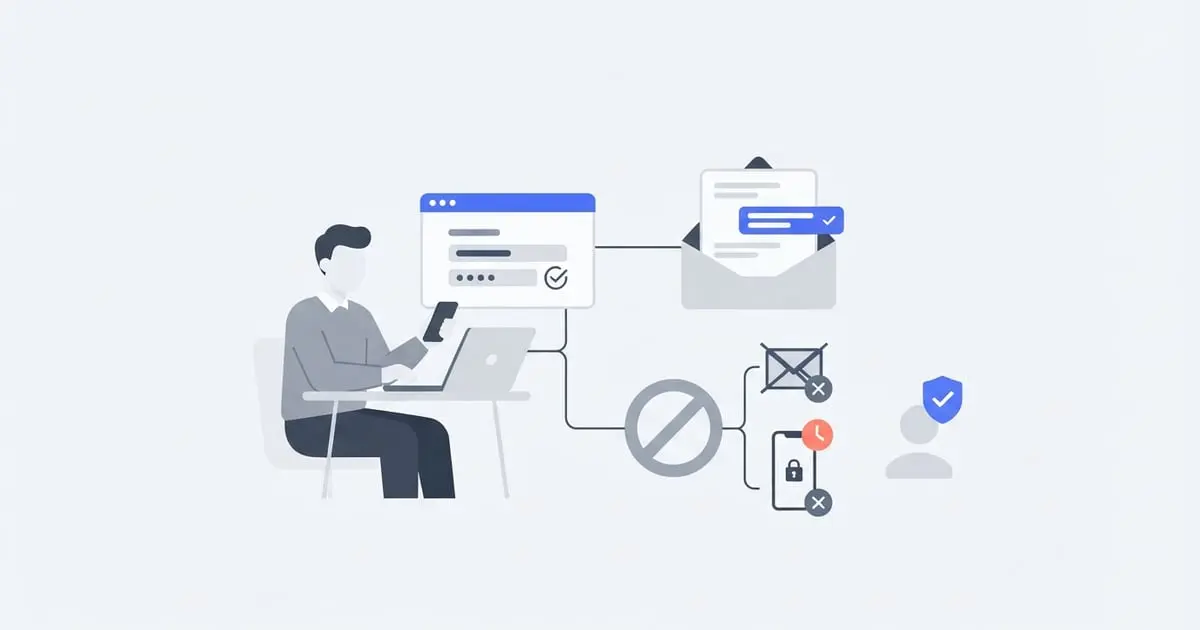
Using temp mail for Facebook sign-up usually works. Choose the email option, paste a temporary address, then type in the confirmation code Facebook emails you. Expect more checks than on most sites, though: new Facebook accounts often get asked for a phone number or extra verification.
The longer answer
The sign-up form wants your name, date of birth, gender, a mobile number or email address, and a password. Pick email and Facebook sends a confirmation code to that address before the account is fully set up. A temporary inbox receives that message the same way a Gmail inbox would.
Getting the code is the easy part. New accounts are watched closely, and one with no history, a fresh email and no phone can be held for a security check soon after sign-up. A temp address can also be turned away at the email field if Facebook has blocked its domain.
Meta's terms ask people to use the name they go by in everyday life and not to run fake accounts (what that means for temp mail). So a temp address suits a test account, a short-term account you'll throw away, or a profile you plan to move to a permanent email later, rather than one you'd hate to lose.
How to sign up for Facebook with a temp email
- Open tempmailfa.st in a new tab. You get an address straight away. Press the copy icon next to it.
- Go to Facebook's sign-up page in the app or browser and fill in your name, birthday and gender.
- Paste the temporary address where it asks for a mobile number or email. The app sometimes shows the phone field first, with a separate option for email.
- Choose a password and submit the form.
- Find the Facebook code in your temp mail tab. New mail shows up within half a minute without you doing anything, and Refresh pulls it in sooner. Open Facebook's email and copy the confirmation code.
- Type the code into Facebook to confirm the address.
- Store the password in a password manager right away. With a throwaway inbox, it's your only reliable way back in.
Facebook renames its buttons now and then. If something here doesn't line up, the field asking for an email is the one you want.
What gets through and what gets blocked
| Facebook step | Temp mail result |
|---|---|
| Typing the address into the sign-up form | Usually accepted, though some disposable domains are refused |
| The email confirmation code | Arrives in the temp inbox if you're still within the 20 minutes |
| Posting, messaging and joining groups afterwards | Fine for as long as the session stays logged in |
| A security check asking for a phone, photo or ID | Needs your own phone or documents; an email address can't clear it |
| A password reset by email | Won't reach you once the temp address has expired |
When Facebook pushes back
- "This email can't be used" or a similar error. Facebook has likely blocked that domain (how sites spot temp mail). Click New address on TempMailFast, which may land you on a different domain, and switch to a permanent address if a couple of tries fail.
- No confirmation email. Make sure the whole address was pasted, give it a minute, then press Refresh. Resend once at most. After a resend, the older code usually stops working, so use the newest email (other reasons codes go missing).
- The account is locked right after sign-up. New accounts are sometimes held for review, and the screen may ask for a phone number, a photo of you or an ID. Follow those steps if you're willing, or let the account go.
- A phone number is required. No email can answer a phone check. Your own number works best, and if you're weighing a second one, read about burner numbers and eSIMs first.
- You ran out of time. If the 20 minutes ended before you entered the code, start over with a fresh address. Expired addresses can't be brought back, and neither can their mail.
Creating account after account to get past a block can get all of them disabled, so stop after a couple of tries.
When temp mail isn't the right tool
A business or project page. Facebook Pages are created from a personal profile, so you don't need a second account for them. Add the page from the profile you already have, and nothing new needs your email.
A profile you'll keep. Create a free permanent email account for it, or sign up with temp mail and switch the email later. Contact details are currently managed in Meta's Accounts Center (menu names can change). Facebook may ask you to confirm the change by email, so do it while the temp address still works.
Just looking around. Some public pages show at least part of their posts without a login, though Facebook often asks you to log in after a bit of scrolling.
For how Instagram, TikTok and X handle the same thing, see the social media roundup.
How TempMailFast fits
- The address is waiting for you. It appears when the page loads, with no account, password or personal details. Reloading in the same browser keeps it until it expires.
- Twenty minutes, and it can't be extended. One confirmation code fits easily, so enter it first and fill in the profile after.
- New domains get added over time. That can help when Facebook refuses one, but some addresses will still be blocked.
- Private inbox. Only your browser can open it, which keeps Facebook's email away from anyone who happens to see the address.
- Incoming mail only. You can read Facebook's messages but can't reply or send anything.
- iOS and Android apps let you pick a domain and set your own username, and premium app addresses last longer than 20 minutes. There are no push notifications, so check the app yourself when you're waiting on Facebook.
Frequently Asked Questions
Why does Facebook say my email can't be used?
Usually because that disposable domain is blocked. Generate a new address, which may be on a different domain, and try again. If a couple of attempts fail, use a permanent email.
Where do I find the Facebook code in temp mail?
Open the email from Facebook in your TempMailFast inbox and copy the code from the message. If nothing has arrived yet, wait a minute and press Refresh.
Can I skip the phone number on Facebook?
You can usually start with only an email. Facebook may still ask for a phone number later if the new account goes through a security check.
Can I keep a Facebook account made with temp mail?
Yes, if you switch it to a permanent email while the temp address still works. Otherwise you'll have no inbox for password resets once the address expires.